DSA · Start here
Quick Setup
Complete one required setup. Then choose only what you want: Settings, Sound, or Apps.
Progress is saved only on this device and is not sent to us.
1. Basic setup
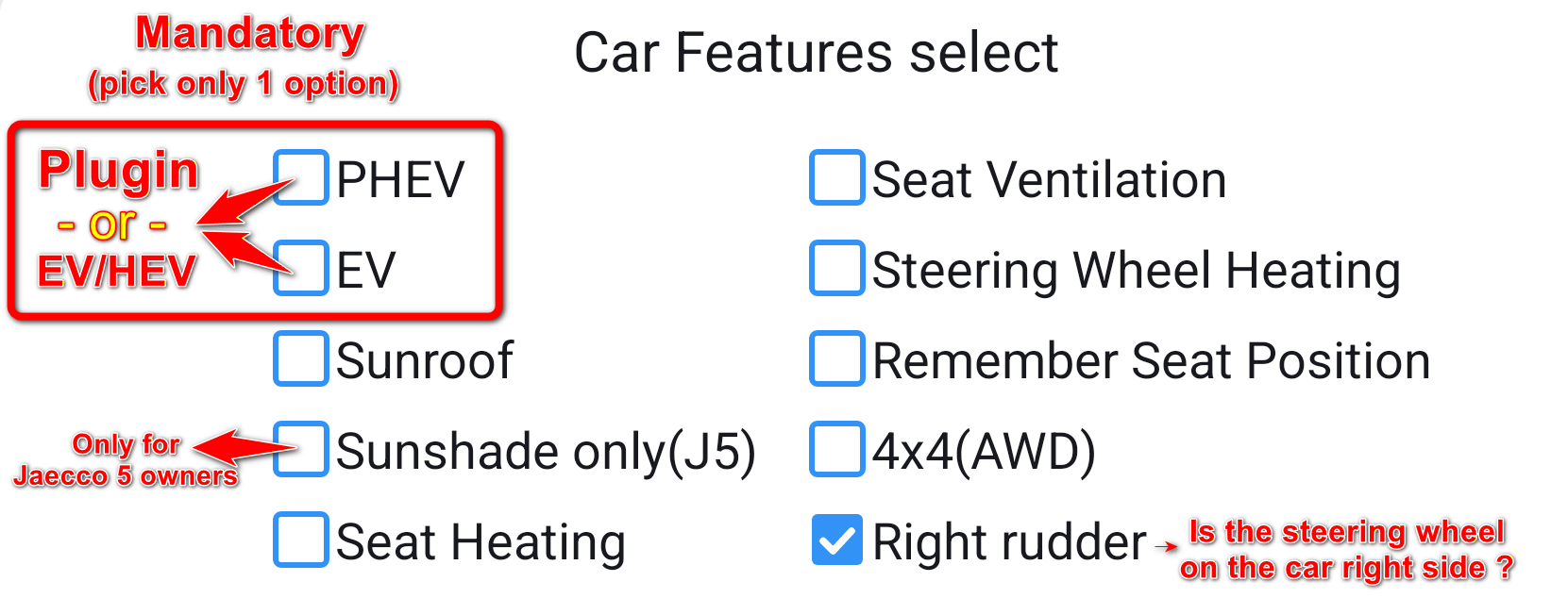
Open Driver Settings on the car screen.
- Select only features that physically exist in your vehicle.
Now choose what to set up
Everything below is optional. Open one section, several, or come back later.
 SettingsDriver profile, internet, and two useful gestures.
- In Driver Settings, add a driver profile or activate an existing one.
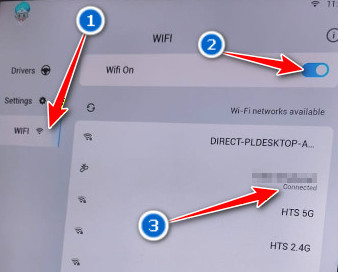
- Connect the screen to an internet source. Continue when Connected appears.
- Back: swipe one finger inward from the left edge of the screen.
- Recent Apps: swipe up with four fingers.
SoundA short XEQ setup.
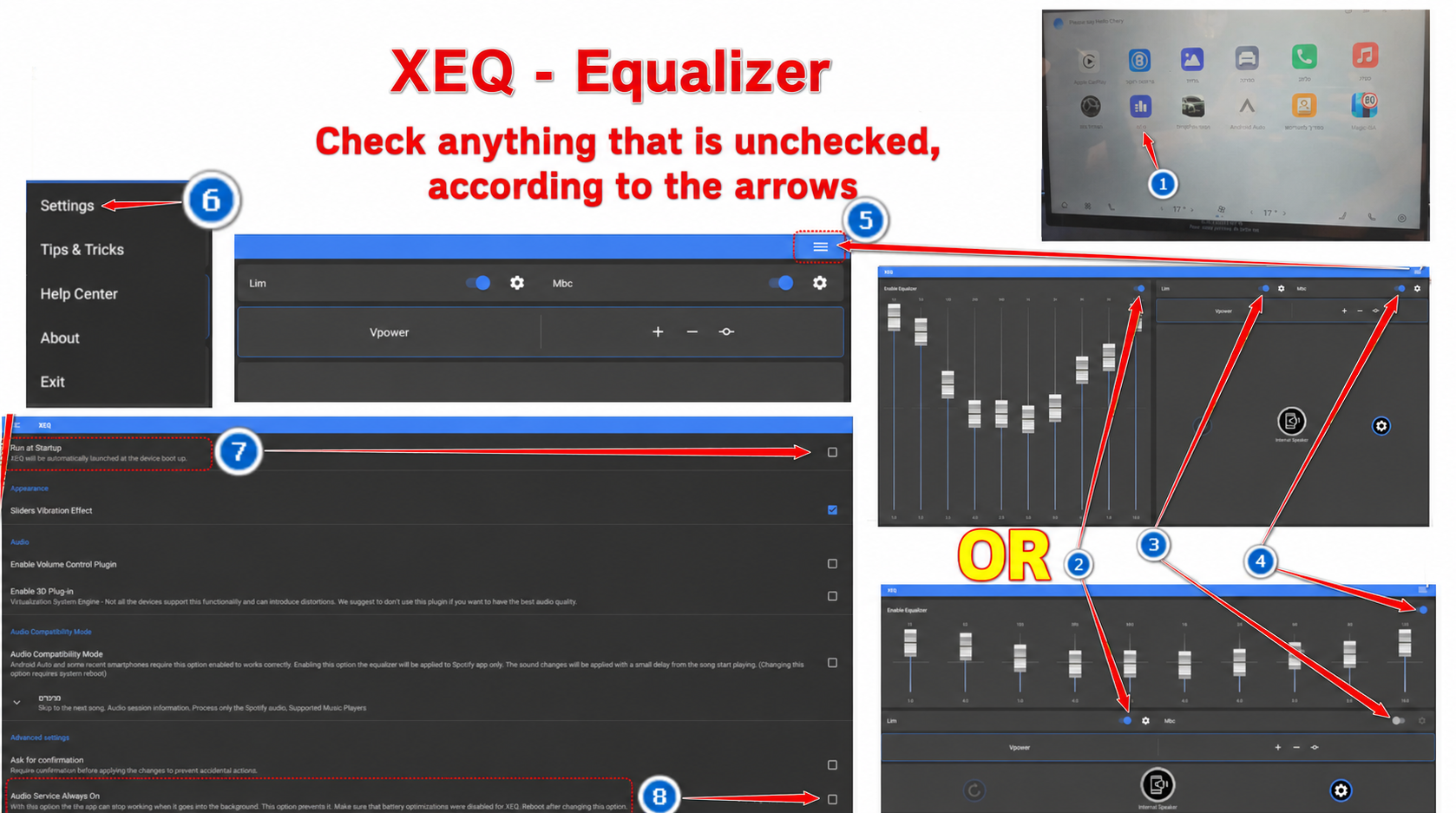
- Open XEQ.
- Turn on the equalizer and continuous operation.
- Choose the audio preset you prefer.
AppsInstall one app and confirm it opens.
- Confirm that the internet is connected.
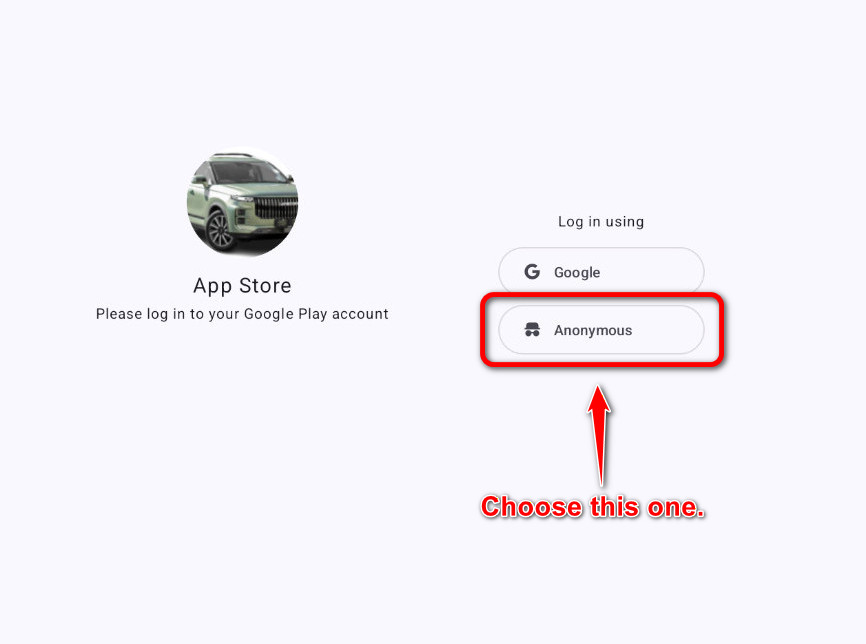
- If you are asked to sign in, choose Anonymous / בעילום שם.
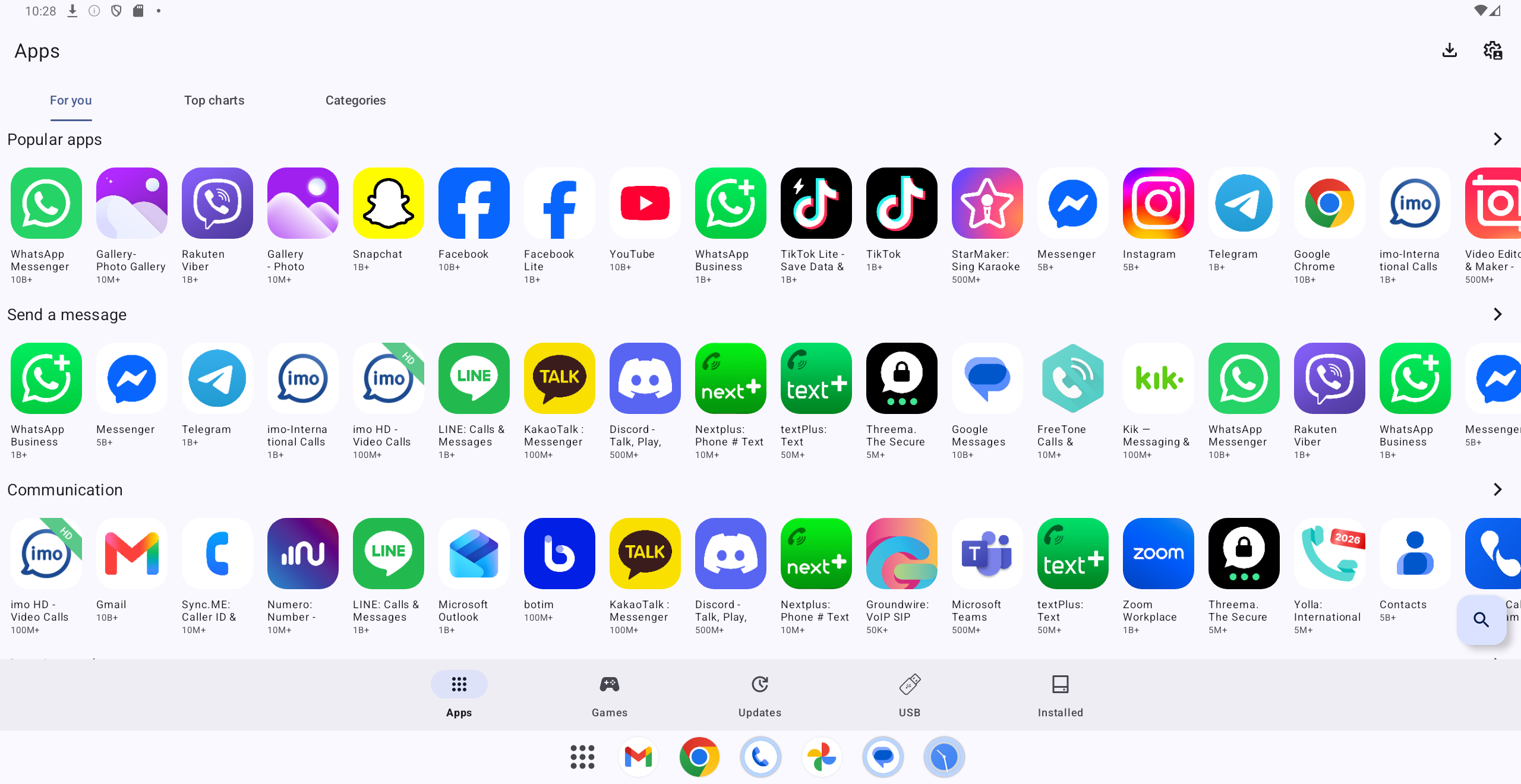
- Find an app by its icon or with Search.
- Install it and confirm that it opens.
Bluetooth callsMake and receive calls through the vehicle system.
- Open the Bluetooth settings on the car screen and turn Bluetooth on.
- Open Bluetooth settings on the phone and select the vehicle system.
- Confirm the pairing code on both the car screen and phone.
- Allow access to calls and contacts.
- While parked, make a test call and confirm that incoming calls also work.
 Tip: You do not have to keep using Android Auto or Apple CarPlay — DSA apps cover your needs directly on the car screen.
Important later — not now
How do I restart the car screen?
Park safely. On J8, press the console volume knob inward. On other models, hold the steering-wheel star button for at least 20 seconds, release it when the screen turns off, and wait for the system to reload.
What should I do if an app freezes?
Open Recent Apps, close the frozen app, and open it again.
How do I turn on internet automatically?
Create a phone automation that turns on the hotspot when Bluetooth connects to the car.
How do I turn caller-name announcements on or off?
Open the vehicle Sound settings, find the caller-announcement option, and turn it on or off.